Why My Password Toggle Button Didn't Work on First Click!
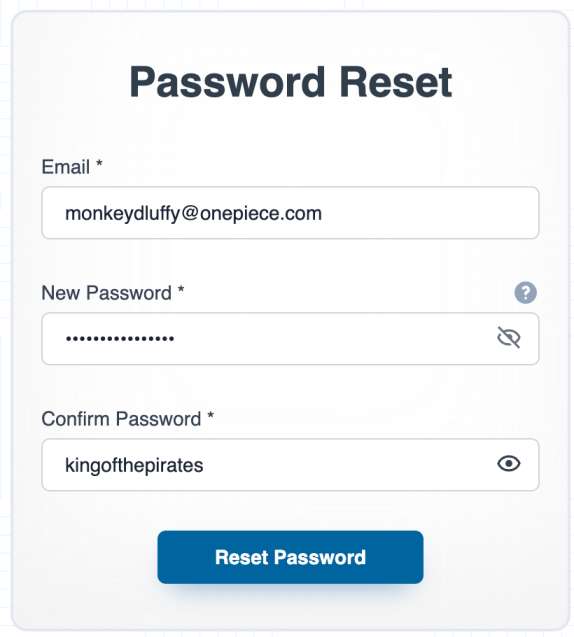
I recently ran into a weird bug while building a form with React and Formik. I had a simple password visibility toggle button with an eye icon. Everything seemed fine — state updates worked, and the click event handler was properly set up and ready to run. Yet, despite this, the button didn't respond on the first click after a page reload, which was unexpected.
After some debugging (obviously brainstorming with ChatGPT and cursor), I realized the issue wasn't with the logic — it was with the icon. The SVG rendered by the icon library was intercepting the click. So even though I was clicking the button visually, the actual event was being captured by the SVG element inside it.
The solution was to add pointer-events: none to the icon itself.
<Icon
  nameIcon={showPassword ? "BiShow" : "BiHide"}
  propsIcon={{ size: 20, style: { pointerEvents: "none" } }}
/>
This is a common issue when working with icon libraries in React, especially when the icons are SVG-based. The SVG elements can sometimes capture mouse events that should be handled by their parent elements. The pointer-events: none CSS property is a clean solution that ensures the icon is purely visual and doesn't interfere with the interactive behavior of its container.
By setting pointer-events: none (or pointerEvents: "none" in React inline styles) on the SVG icon, we tell the browser to ignore any mouse interactions on that element. This means that when the user clicks on the icon, the click isn't intercepted by the SVG itself but instead passes through to the underlying button element. As a result, the button receives the click event as intended, triggering the toggle function immediately—even on the very first click after the page loads.
While it’s possible to make the SVG itself handle clicks, it’s better to keep the button as the interactive element for accessibility, consistent styling, and easier event management. Buttons come with built-in keyboard support and semantics that SVGs lack by default. Making the SVG clickable would require extra work to replicate these features and could lead to a smaller, less user-friendly click area. Disabling pointer events on the SVG lets the button handle all interactions cleanly while keeping the icon purely visual.